Persistent Volumes
A PersistentVolume (PV) is a piece of storage in the cluster that has been manually provisioned by an administrator, or dynamically provisioned by Kubernetes using a StorageClass.
A PersistentVolumeClaim (PVC) is a request for storage by a user that can be fulfilled by a PV.
PersistentVolumes and PersistentVolumeClaims are independent from Pod lifecycles and preserve data through restarting, rescheduling, and even deleting Pods.
Using Persistent Disks with WordPress and MySQL
Create your PersistentVolumes and PersistentVolumeClaims
cat << EOF > mysql-volumeclaim.yaml
kind: PersistentVolumeClaim
apiVersion: v1
metadata:
  name: mysql-volumeclaim
spec:
  accessModes:
    - ReadWriteOnce
  resources:
    requests:
      storage: 200Gi
EOF

cat << EOF > wordpress-volumeclaim.yaml
kind: PersistentVolumeClaim
apiVersion: v1
metadata:
  name: wordpress-volumeclaim
spec:
  accessModes:
    - ReadWriteOnce
  resources:
    requests:
      storage: 200Gi
EOF
{
  kubectl apply -f mysql-volumeclaim.yaml
  kubectl apply -f wordpress-volumeclaim.yaml
}
persistentvolumeclaim/mysql-volumeclaim created
persistentvolumeclaim/wordpress-volumeclaim created
kubectl get pvc
NAME                    STATUS   VOLUME                                     CAPACITY   ACCESS MODES   STORAGECLASS   AGE
mysql-volumeclaim       Bound    pvc-4323fc71-dad4-11e9-9b6e-42010a800fef   200Gi      RWO            standard       26s
wordpress-volumeclaim   Bound    pvc-434ee838-dad4-11e9-9b6e-42010a800fef   200Gi      RWO            standard       26s
Set up MySQL
Deploy MySQL
kubectl create secret generic mysql --from-literal=password=YOUR_PASSWORD
secret/mysql created
cat << EOF > mysql.yaml
apiVersion: apps/v1
kind: Deployment
metadata:
  name: mysql
  labels:
    app: mysql
spec:
  replicas: 1
  selector:
    matchLabels:
      app: mysql
  template:
    metadata:
      labels:
        app: mysql
    spec:
      containers:
        - image: mysql:5.6
          name: mysql
          env:
            - name: MYSQL_ROOT_PASSWORD
              valueFrom:
                secretKeyRef:
                  name: mysql
                  key: password
          ports:
            - containerPort: 3306
              name: mysql
          volumeMounts:
            - name: mysql-persistent-storage
              mountPath: /var/lib/mysql
      volumes:
        - name: mysql-persistent-storage
          persistentVolumeClaim:
            claimName: mysql-volumeclaim
EOF
kubectl create -f mysql.yaml
deployment.apps/mysql created
kubectl get pod -l app=mysql -o wide
NAME                     READY   STATUS    RESTARTS   AGE   IP          NODE                                               NOMINATED NODE   READINESS GATES
mysql-674dcfbd85-9k4k9   1/1     Running   0          41s   10.24.0.3   gke-admatic-cluster-1-default-pool-902caf66-2j0p   <none>           <none>
Create MySQL service
cat << EOF > mysql-service.yaml
apiVersion: v1
kind: Service
metadata:
  name: mysql
  labels:
    app: mysql
spec:
  type: ClusterIP
  ports:
    - port: 3306
  selector:
    app: mysql
EOF
{
  kubectl create -f mysql-service.yaml
  kubectl get service mysql
}
service/mysql created
NAME    TYPE        CLUSTER-IP    EXTERNAL-IP   PORT(S)    AGE
mysql   ClusterIP   10.28.4.219   <none>        3306/TCP   0s
Set up WordPress
Deploy WordPress
cat << EOF > wordpress.yaml
apiVersion: apps/v1
kind: Deployment
metadata:
  name: wordpress
  labels:
    app: wordpress
spec:
  replicas: 1
  selector:
    matchLabels:
      app: wordpress
  template:
    metadata:
      labels:
        app: wordpress
    spec:
      containers:
        - image: wordpress
          name: wordpress
          env:
          - name: WORDPRESS_DB_HOST
            value: mysql:3306
          - name: WORDPRESS_DB_PASSWORD
            valueFrom:
              secretKeyRef:
                name: mysql
                key: password
          ports:
            - containerPort: 80
              name: wordpress
          volumeMounts:
            - name: wordpress-persistent-storage
              mountPath: /var/www/html
      volumes:
        - name: wordpress-persistent-storage
          persistentVolumeClaim:
            claimName: wordpress-volumeclaim
EOF

kubectl create -f wordpress.yaml
deployment.apps/wordpress created
kubectl get pod -l app=wordpress -o wide
NAME                         READY   STATUS    RESTARTS   AGE   IP          NODE                                               NOMINATED NODE   READINESS GATES
wordpress-77bc8b5f57-khbbv   1/1     Running   0          52s   10.24.0.4   gke-admatic-cluster-1-default-pool-902caf66-2j0p   <none>           <none>
Expose WordPress Service
cat << EOF > wordpress-service.yaml
apiVersion: v1
kind: Service
metadata:
  labels:
    app: wordpress
  name: wordpress
spec:
  type: LoadBalancer
  ports:
    - port: 80
      targetPort: 80
      protocol: TCP
  selector:
    app: wordpress
EOF

kubectl create -f wordpress-service.yaml
service "wordpress" created
kubectl get svc -l app=wordpress
NAME        TYPE           CLUSTER-IP    EXTERNAL-IP      PORT(S)        AGE
wordpress   LoadBalancer   10.28.4.221   35.208.130.178   80:30864/TCP   87s
Visit your new WordPress blog
After finding out the IP address of your blog, point your browser to this IP address and you will see the WordPress installation screen
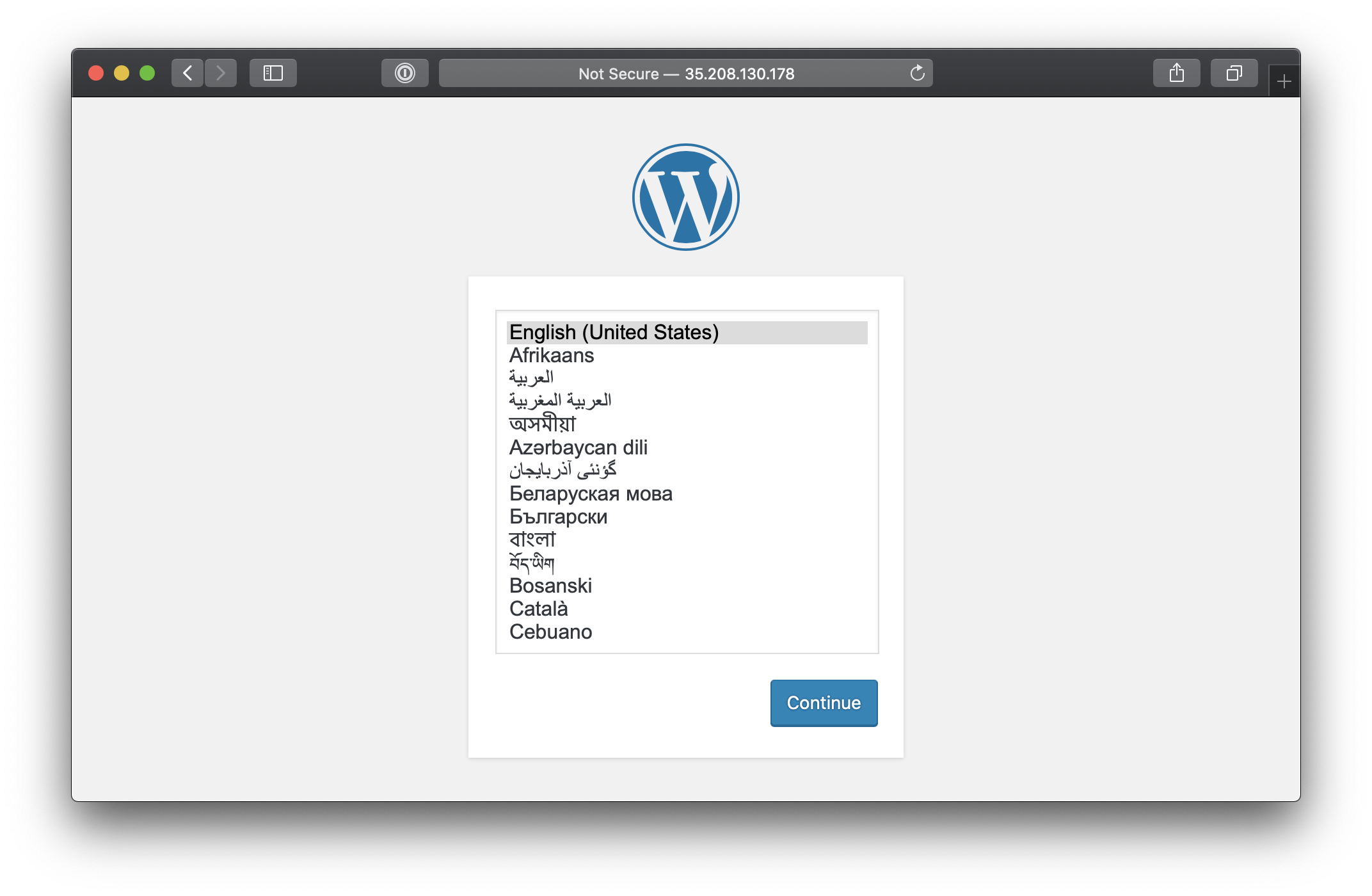
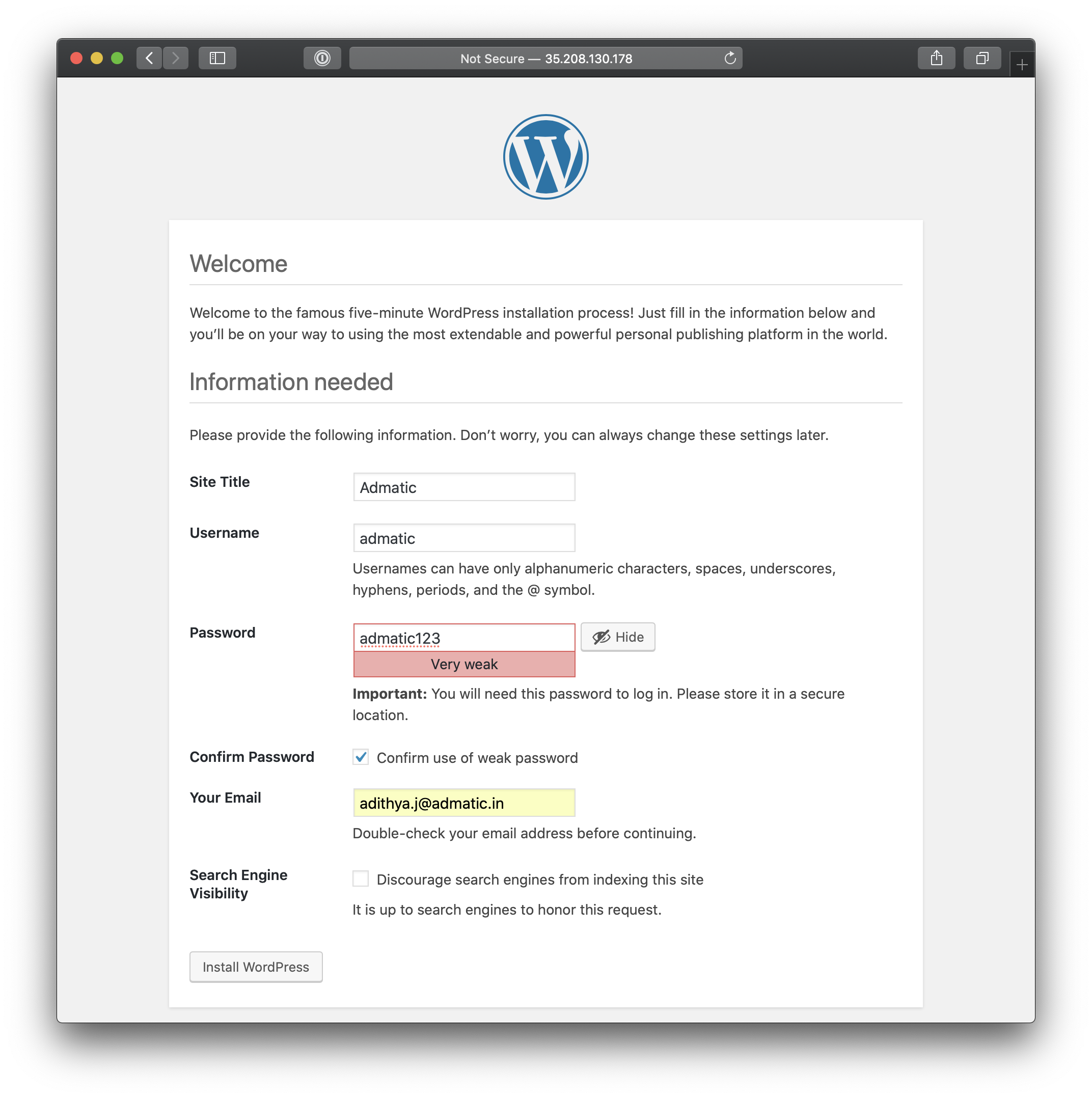
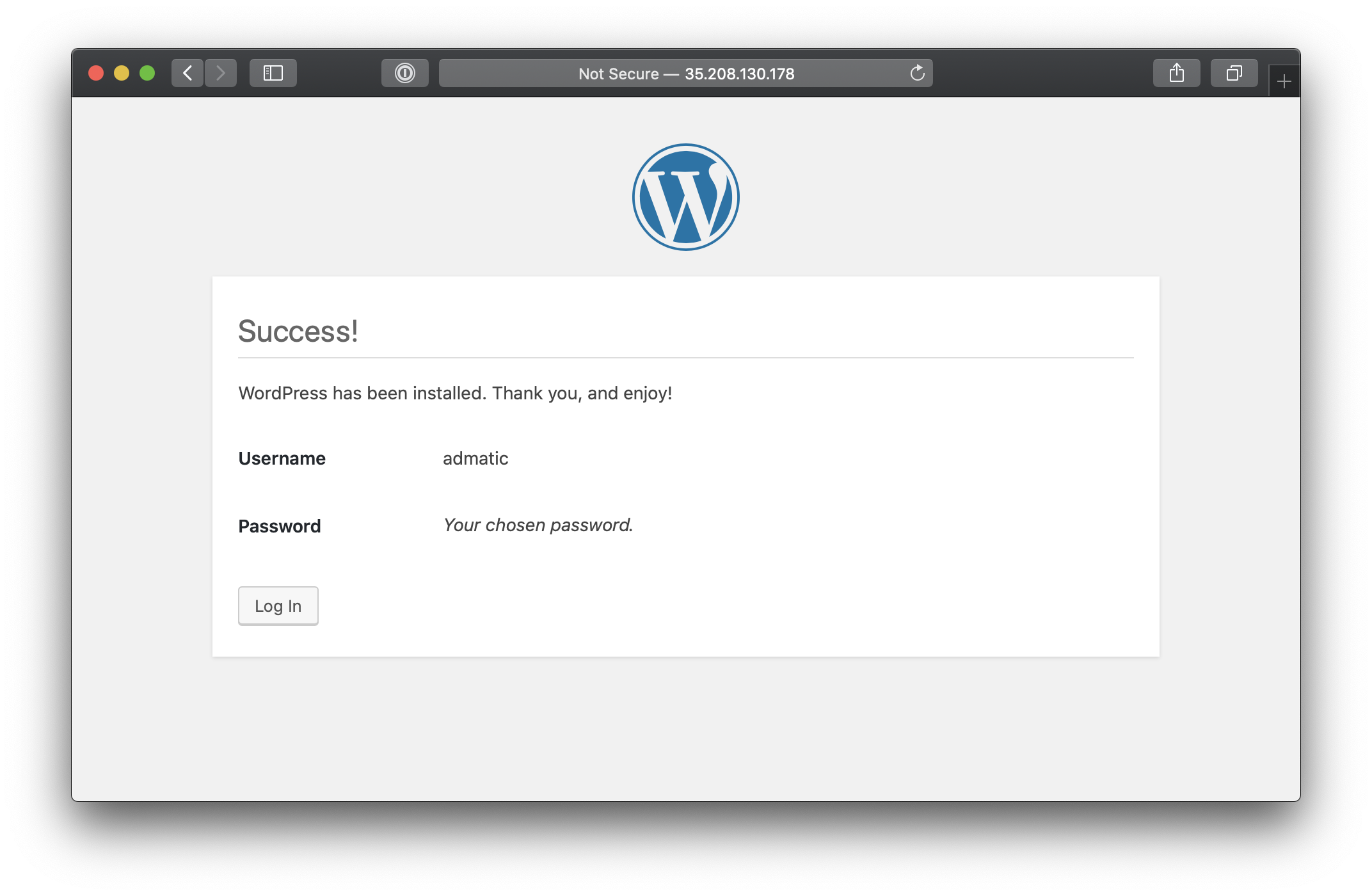
Once you complete the WordPress setup, point your browser to the IP address of the WordPress app again to visit your blog.

Test data persistence on failure
With PersistentVolumes, your data lives outside the application container. When your container becomes unavailable and gets rescheduled onto another compute instance by Kubernetes, Kubernetes Engine will make the PersistentVolume available on the instance that started running the Pod.
kubectl get pods -o=wide
NAME                         READY   STATUS    RESTARTS   AGE     IP          NODE                                               NOMINATED NODE   READINESS GATES
mysql-674dcfbd85-9k4k9       1/1     Running   0          9m19s   10.24.0.3   gke-admatic-cluster-1-default-pool-902caf66-2j0p   <none>           <none>
wordpress-77bc8b5f57-khbbv   1/1     Running   0          7m9s    10.24.0.4   gke-admatic-cluster-1-default-pool-902caf66-2j0p   <none>           <none>
kubectl delete pod -l app=mysql
pod "mysql-674dcfbd85-9k4k9" deleted
kubectl get pods -o=wide
NAME                         READY   STATUS    RESTARTS   AGE   IP          NODE                                               NOMINATED NODE   READINESS GATES
mysql-674dcfbd85-t6qp8       1/1     Running   0          5s    10.24.0.5   gke-admatic-cluster-1-default-pool-902caf66-2j0p   <none>           <none>
wordpress-77bc8b5f57-khbbv   1/1     Running   0          11m   10.24.0.4   gke-admatic-cluster-1-default-pool-902caf66-2j0p   <none>           <none>
Visit your blog again to see that the website is functioning properly and the data is persisted even though you deleted your Pod and the Pod is scheduled to another instance in your cluster.
kubectl exec mysql-674dcfbd85-t6qp8 -it -- bash
root@mysql-674dcfbd85-t6qp8:/#
mysql -u root -p
Enter password: YOUR_PASSWORD
Welcome to the MySQL monitor.  Commands end with ; or \g.
Your MySQL connection id is 3
Server version: 5.6.45 MySQL Community Server (GPL)

Copyright (c) 2000, 2019, Oracle and/or its affiliates. All rights reserved.

Oracle is a registered trademark of Oracle Corporation and/or its
affiliates. Other names may be trademarks of their respective
owners.

Type 'help;' or '\h' for help. Type '\c' to clear the current input statement.

mysql>
SHOW DATABASES;
+---------------------+
| Database            |
+---------------------+
| information_schema  |
| #mysql50#lost+found |
| mysql               |
| performance_schema  |
| wordpress           |
+---------------------+
5 rows in set (0.00 sec)
USE wordpress;
Reading table information for completion of table and column names
You can turn off this feature to get a quicker startup with -A

Database changed
SHOW TABLES;
+-----------------------+
| Tables_in_wordpress   |
+-----------------------+
| wp_commentmeta        |
| wp_comments           |
| wp_links              |
| wp_options            |
| wp_postmeta           |
| wp_posts              |
| wp_term_relationships |
| wp_term_taxonomy      |
| wp_termmeta           |
| wp_terms              |
| wp_usermeta           |
| wp_users              |
+-----------------------+
12 rows in set (0.00 sec)
SELECT ID,post_author,post_date,post_name from wp_posts;
+----+-------------+---------------------+----------------+
| ID | post_author | post_date           | post_name      |
+----+-------------+---------------------+----------------+
|  1 |           1 | 2019-09-19 12:01:22 | hello-world    |
|  2 |           1 | 2019-09-19 12:01:22 | sample-page    |
|  3 |           1 | 2019-09-19 12:01:22 | privacy-policy |
+----+-------------+---------------------+----------------+
3 rows in set (0.00 sec)